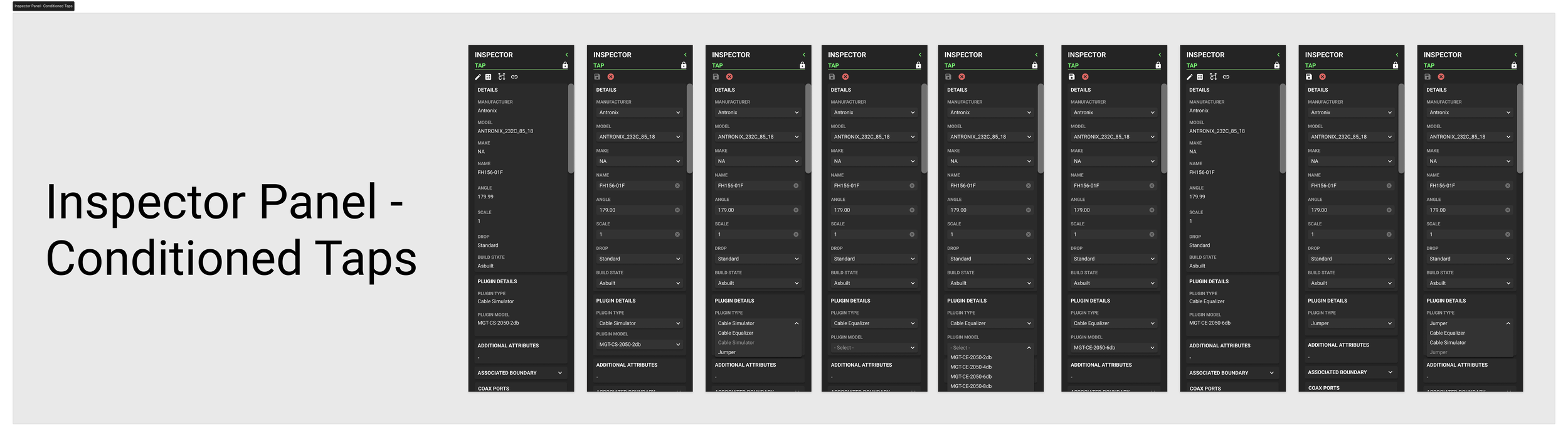
Conditioned Taps
Automating a critical field workflow to reduce mapping errors and increase daily production output.
Overview
Company: Spectrum/Charter Communications
Platform: Magellan — Enterprise Geographic Information System (GIS)
My Role: UX Researcher · Product Designer · UI Designer · Content Designer
Tools: Figma · WebEx Video Conferencing
Timeline: 12 Weeks
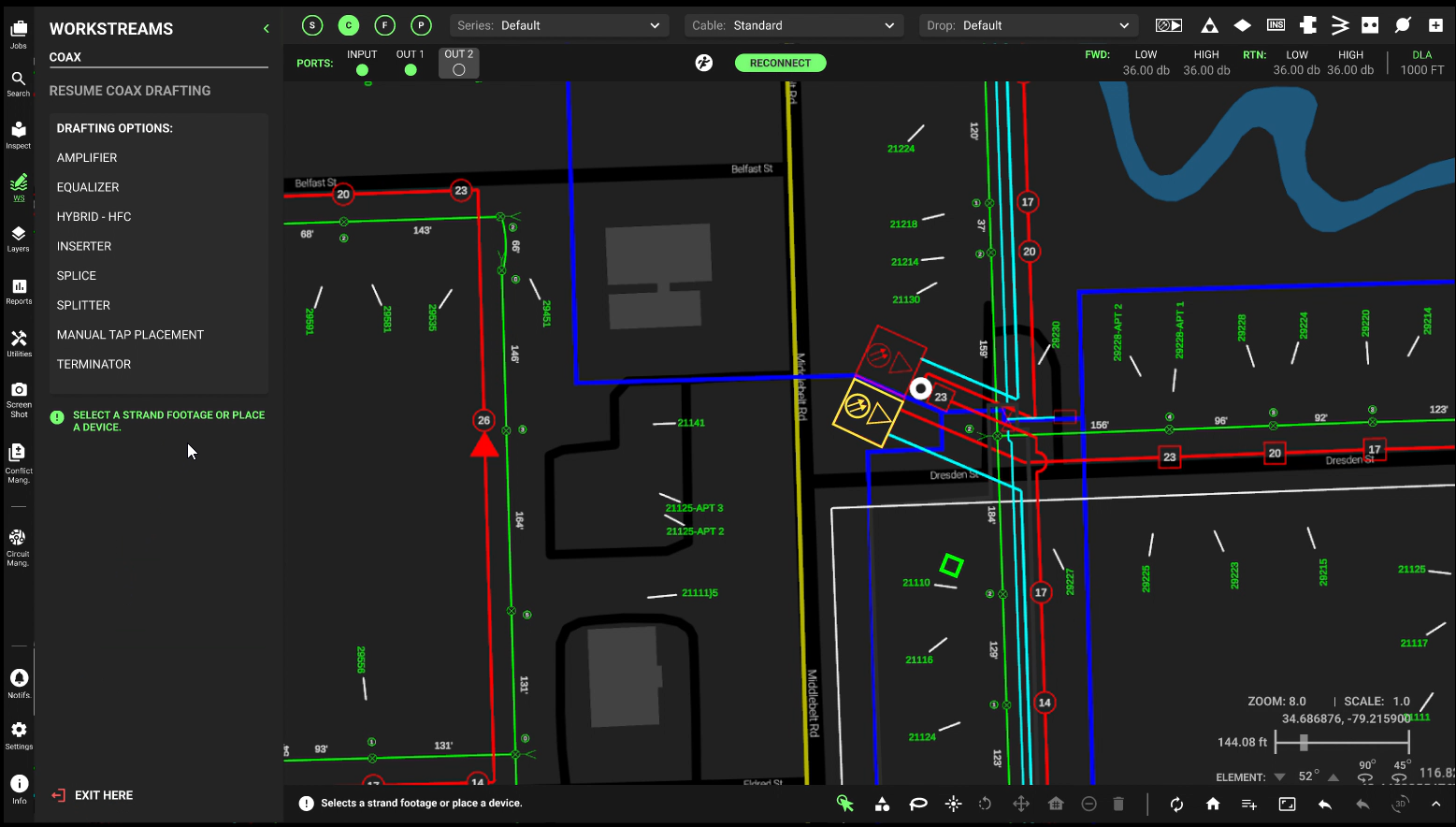
As the UX/UI Designer on this project, I led the end-to-end design strategy for a priority roadmap initiative within Charter's enterprise GIS platform, Magellan. The project focused on automating the placement of tap conditioners within cable maps, a process that was previously done entirely by hand, resulting in significant inefficiency, mapping errors, and delays in digital construction report distribution.
Problem
Construction leads and field technicians were burdened by a slow, error-prone manual mapping process. The existing system required the manual placement of tap conditioners one by one, a task that was not only time-consuming but highly susceptible to human error. These errors impacted the accuracy of digital construction reports and increasing the need for costly field rework.
The core problem: How might we reduce the time and error rate associated with manual tap placement while improving the overall efficiency of the construction reporting process?
Research & Discovery
To ensure design decisions were grounded in real user needs and technical constraints, I orchestrated a comprehensive mixed-methods research strategy.
Stakeholder Interviews I conducted discovery sessions with construction leads, field technicians, and product managers to align on project scope, business requirements, and technical limitations. These conversations surfaced recurring pain points around the manual placement process and helped me understand the downstream impact of mapping errors on field operations.
System Audits I performed a thorough audit of the existing GIS software to identify usability gaps, technical constraints within the legacy system, and opportunities for automation. This gave me a clear picture of what was technically feasible before moving into ideation.
Usability Testing (Existing Workflow) Observing users complete the manual tap placement process revealed that the repetitive, multi-step workflow was a primary driver of both delays and errors. This insight became the foundation for the automation approach.
Key Insight: Manual placement was not just slow, it was structurally set up to fail. Users were being asked to perform a high-volume, precision task with no system-level safeguards.
Design Process
Brainstorming & Technical Alignment I collaborated closely with the development team early in the ideation phase to ensure that proposed automation solutions were technically feasible within Magellan's legacy architecture. This cross-functional alignment prevented costly redesigns later in the process.
Information Architecture I restructured the way complex construction data was organized within the platform, ensuring that construction leads could surface critical information quickly and without unnecessary navigation. This was essential for a tool used in fast-paced field environments.
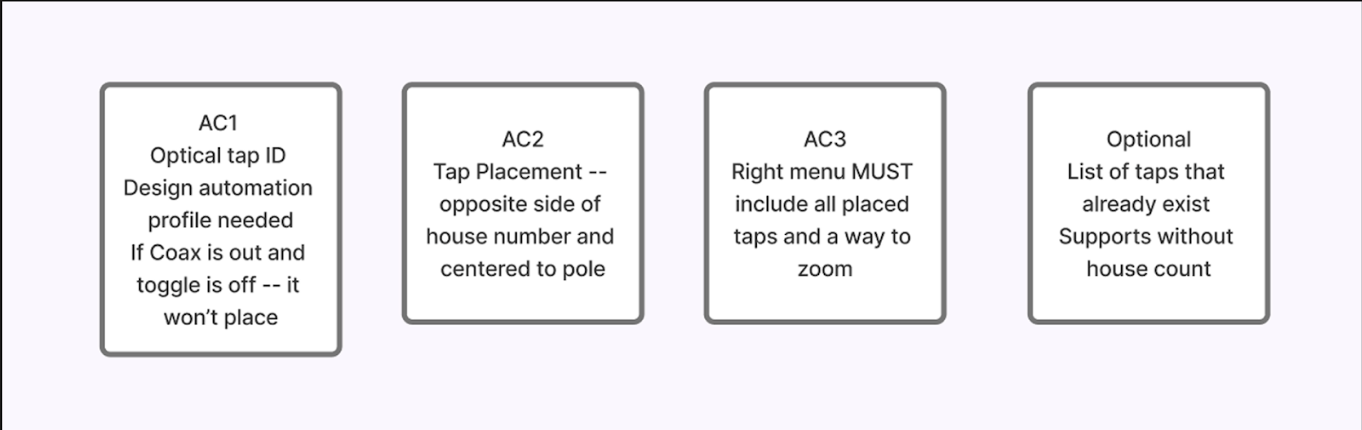
Wireframing I developed low-fidelity wireframes to map out the new automated flow, focusing on edge cases. What happens when a tap can't be placed, when a toggle is off, or when the system needs to alert the user. These wireframes were tested internally before moving to high-fidelity design.
High-Fidelity Prototyping Using Figma, I built interactive prototypes to simulate the auto-tap placement experience and validate the new flow with users before development handoff. Prototypes were iterated based on feedback from construction leads and engineers.
Design System Integration All new components were built within Charter's existing B2B design system to ensure visual consistency across the broader Magellan product suite and reduce development overhead.
Key Design Decisions:
Introduced an automated detection system that identifies valid tap placement locations without user input
Designed clear toggle controls to give users visibility and control over when automation is active
Created on-screen feedback states to communicate placement status in real time
Impact & Outcomes
Reflection
Auto-Tap Placement | Charter Communications
The redesigned construction platform delivered measurable improvements to both user experience and business efficiency:
Increased Production: Boosted daily package output to over 700 packages per day
Time Savings: Reduced task completion time by 10–15 minutes per package
Error Reduction: Significantly decreased manual mapping errors, reducing the need for costly field rework
Workflow Efficiency: Streamlined the end-to-end report creation and distribution process, freeing construction leads to focus on higher-value work
Manual tap placement (before)
Auto-tap placement (after)
This project reinforced the value of early and continuous cross-functional collaboration, particularly between design and engineering. By aligning with the development team before moving into high-fidelity design, I was able to propose solutions that were both user-centered and technically viable within a complex legacy system.
If I had more time, I would have invested in deeper usability testing with field technicians post-launch to measure the real world impact of the automation on day to day workflows. The quantitative outcomes were strong, but qualitative feedback from the people using the tool daily would have added an important layer of insight.